
Know who's booking and who's attending
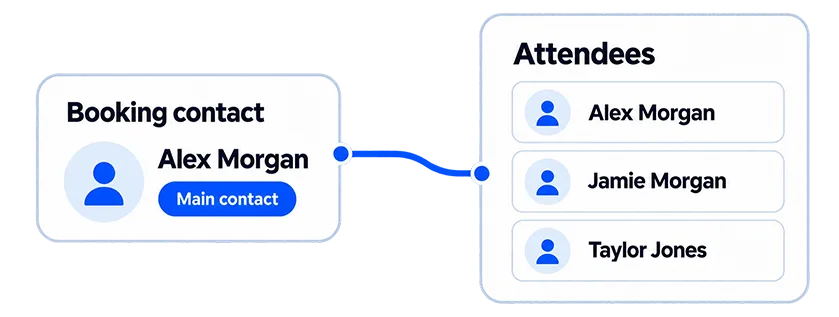
A parent books for a child. A colleague organises a workshop for the team. One friend sorts out the bookings for a whole group. Jezzam Attendee Management keeps the person booking as the main contact while collecting the details you need for each person attending.
One contact name isn't always enough
If one person books three workshop places, knowing the organiser's name doesn't tell you who'll turn up.
You may need each attendee's name, contact information, lunch choice, access requirements or other details that helps you get ready. Without it, somebody has to chase the information later, copy it from an email or keep a separate list.
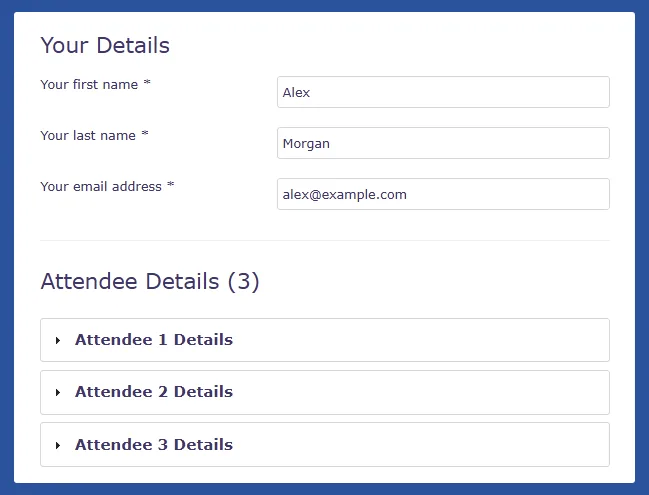
Attendee Management collects those details during booking while keeping the person who made the booking as the main contact.
- Know who booked and who's attending
- Manage bookings made for somebody else
- Collect details for each attendee
- Ask the questions you need for each activity
- Keep attendee information organised in one place
Who's who?
Booker
Makes the booking and receives the emails.
Attendee
The person who's actually coming.
Booking
Holds the details for the activity and the person attending.
Sometimes the booker and attendee are the same person. Sometimes they aren't. Jezzam handles both without making the booking harder than it needs to be.
Ask for what you need
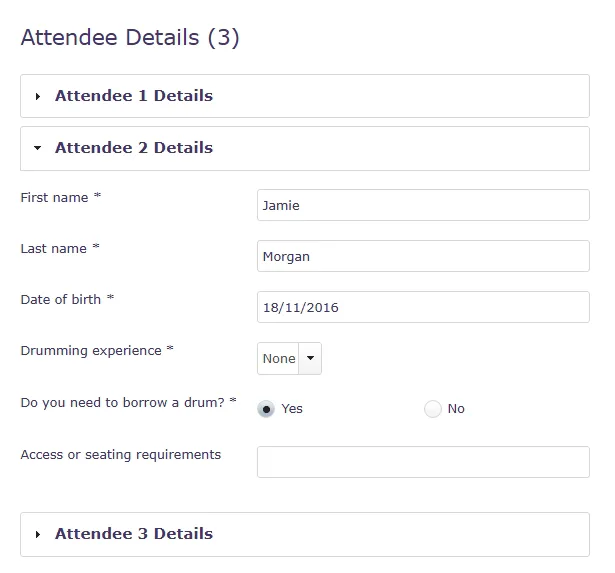
A name might be enough. Or you may need more contact details, a lunch choice, access requirement or something specific to your activity.
Choose which questions apply to the whole booking and which need an answer from each attendee. Give each activity its own customisable booking form, so customers only see questions relevant to what they're booking.
You get the information you need without chasing it later.
The details stay with the booking
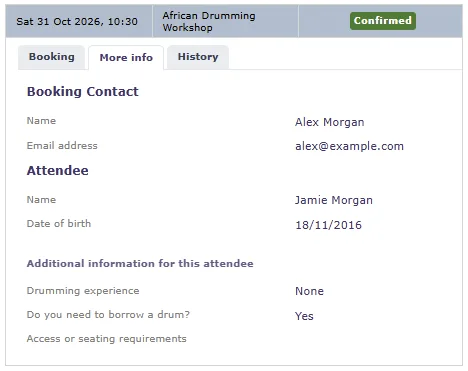
The information collected for each attendee stays with their booking, ready when your team needs it. Open the booking to see who's attending and the answers they gave. Include attendee information in reports when you need a wider view across several bookings.
No searching through emails, copying answers into another system or trying to work out which details belong to which person.
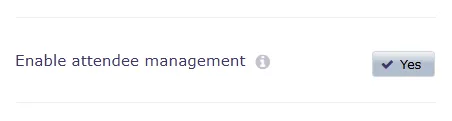
Keep simple bookings simple
Attendee Management is optional.
If customers normally book only for themselves and you don't need to distinguish between the booker and attendee, leave it off. Jezzam will treat the person booking as the person attending.
If parents, organisers or group bookers are common, switch it on and collect the details your team genuinely needs for each attendee.
Common questions
Does the booker have to be an attendee?
No. The booker and attendee may be the same person, but they don't have to be. Attendee Management also covers the times when somebody books for another person or a group.
Can I collect different information for each attendee?
Yes. Choose which details are collected for each person and which questions apply to the booking as a whole.
Who receives the booking emails?
The booker receives booking and order emails. Attendee email addresses can be stored, but Jezzam doesn't currently send those emails directly to attendees.
What happens to existing bookings if I switch Attendee Management on?
The setting applies to new bookings. Existing bookings keep the attendee setup they were created with.
Do I have to use the Attendee Management feature?
Yes. If you don't need to distinguish between the person booking and the person attending, keep the simpler booking journey.
Need a hand?
- Setting up Attendee Management in Jezzam
- Understanding customer fields, booking fields and forms in Jezzam
- How to create and use custom booking forms to collect booking information
- How to collect booking-specific information using custom booking fields
- How to view customer, attendee and booking information entered during a booking
Sign up for your FREE 30-day trial today!
Be up and running in minutes with Jezzam’s online booking software.
- No credit card required
- Free support
- No obligation or long term contracts
- 100% money back guarantee